Title here
Summary here
The Busy screen lists top active workers and all the jobs in progress.
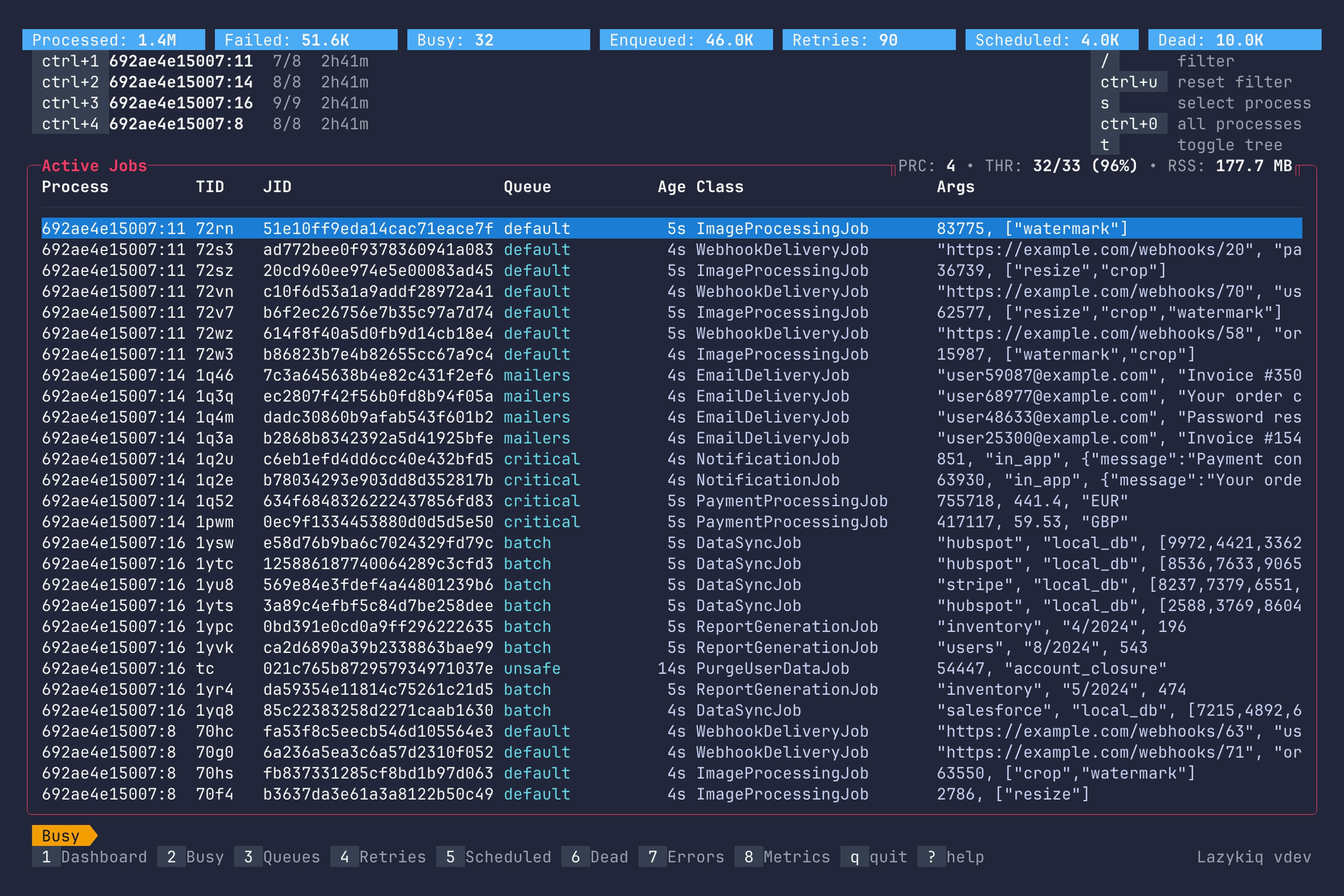
Key bindings:
| Key | Description |
|---|---|
2 | Go to Busy. |
Up / k | Move up one row. |
Down / j | Move down one row. |
Enter | Show job details. |
/ | Filter jobs by substring. |
Ctrl+u | Clear filter. |
Ctrl+0 | Show jobs for all processes. |
Ctrl+1–Ctrl+9 | Filter jobs by process. |
t | Toggle tree view. |
s | Open process list. |
c | Copy job JID. |
q | Quit. |
Tree view shows similar information, but groups active jobs by the process which executes them.
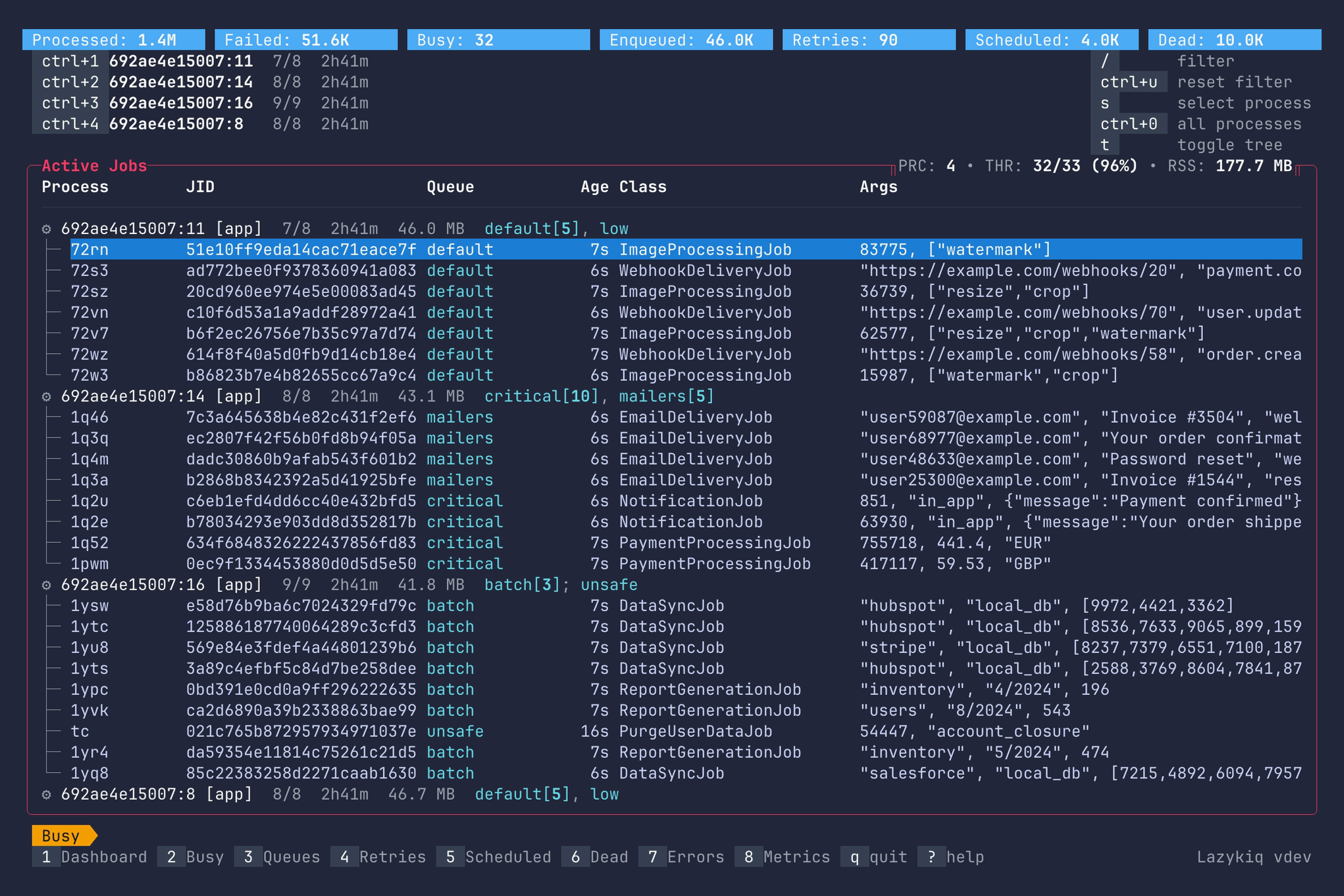
Key bindings:
| Key | Description |
|---|---|
Up / k | Move up one row. |
Down / j | Move down one row. |
Enter | Show job details. |
/ | Filter jobs by substring. |
Ctrl+u | Clear filter. |
Ctrl+0 | Show jobs for all processes. |
Ctrl+1–Ctrl+9 | Filter jobs by process. |
t | Toggle tree view. |
s | Open process list. |
c | Copy job JID. |
q | Quit. |
Process view lists all Sidekiq processes, and allows to select one for job filtering.
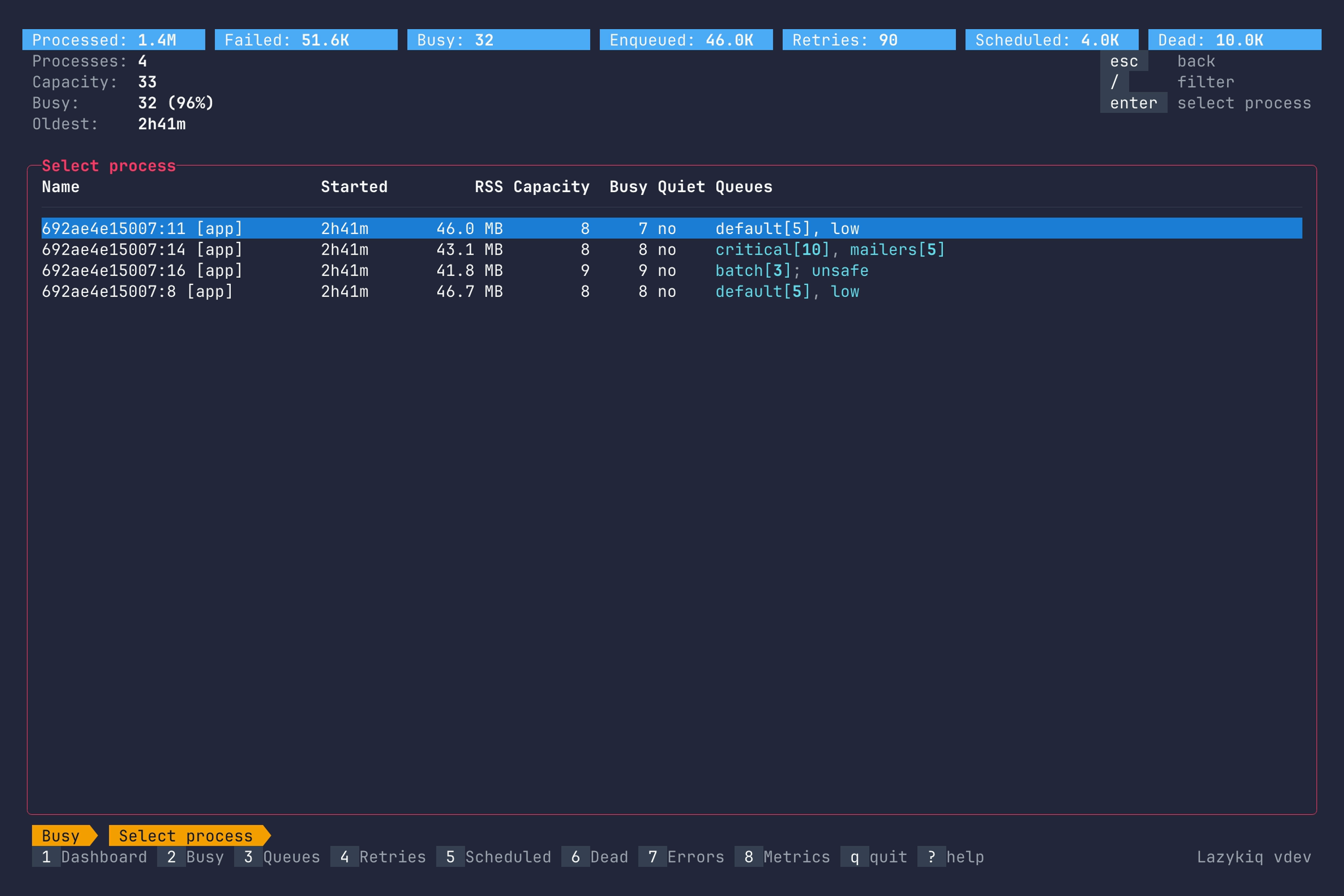
Key bindings:
| Key | Description |
|---|---|
Up / k | Move up one row. |
Down / j | Move down one row. |
/ | Filter processes by substring. |
Enter | Select process and return to Busy. |
c | Copy process identity. |
p | Pause process (requires --danger). |
s | Stop process (requires --danger). |
Esc | Back to Busy view. |
q | Quit. |
Shows detailed information about a running job.
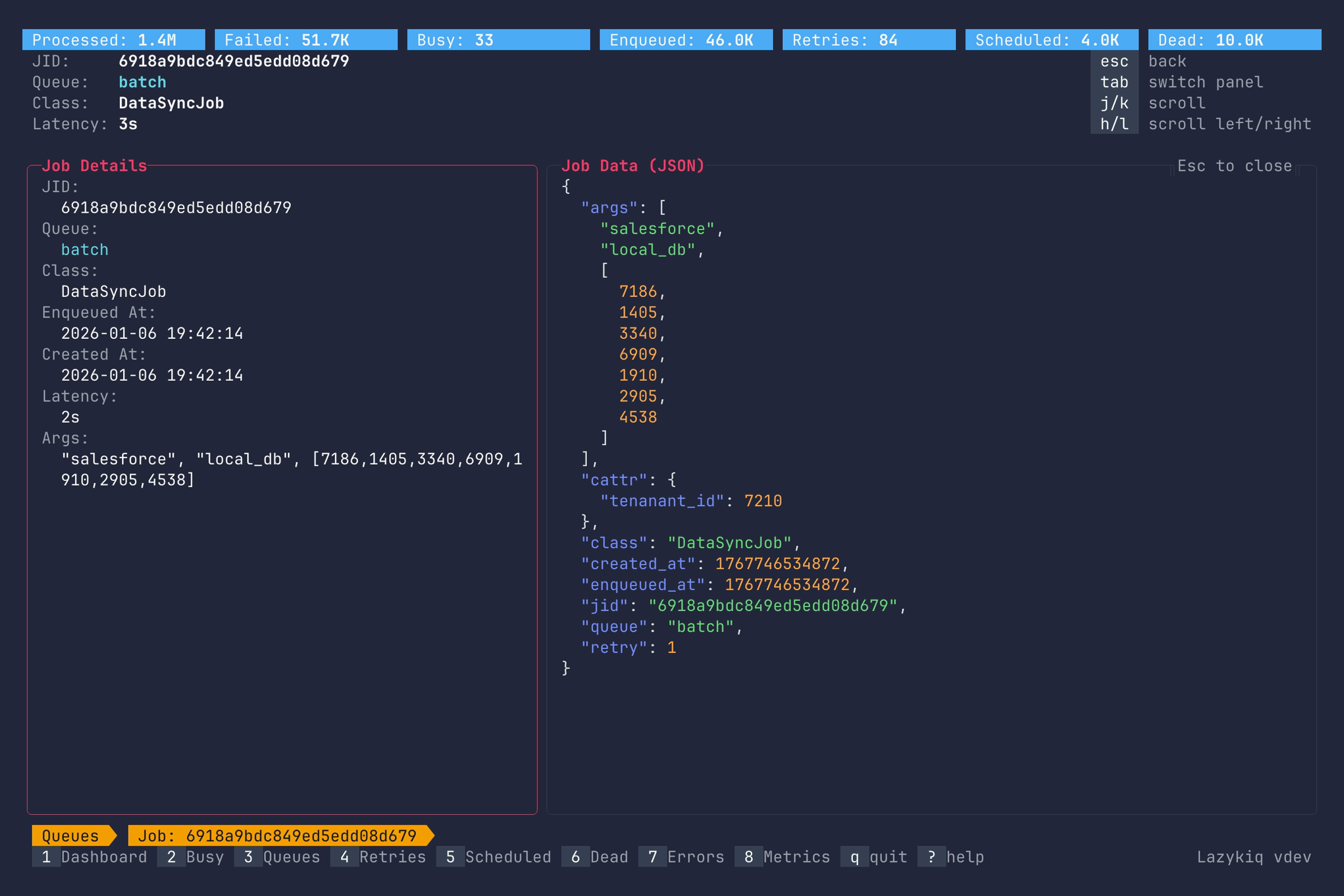
Key bindings:
| Key | Description |
|---|---|
Up / k | Scroll up. |
Down / j | Scroll down. |
Left / h | Scroll left. |
Right / l | Scroll right. |
g / G | Jump to top or bottom. |
Home / 0 | Scroll to the first column. |
End / $ | Scroll to the last column. |
Tab | Switch between job details panel and job data. |
c | Copy job JSON. |
Esc | Back to Busy view. |
q | Quit. |