Title here
Summary here
The metrics view tracks processed, failed, busy, enqueued, retries, scheduled, and dead counts in real time, plus per-job metrics.
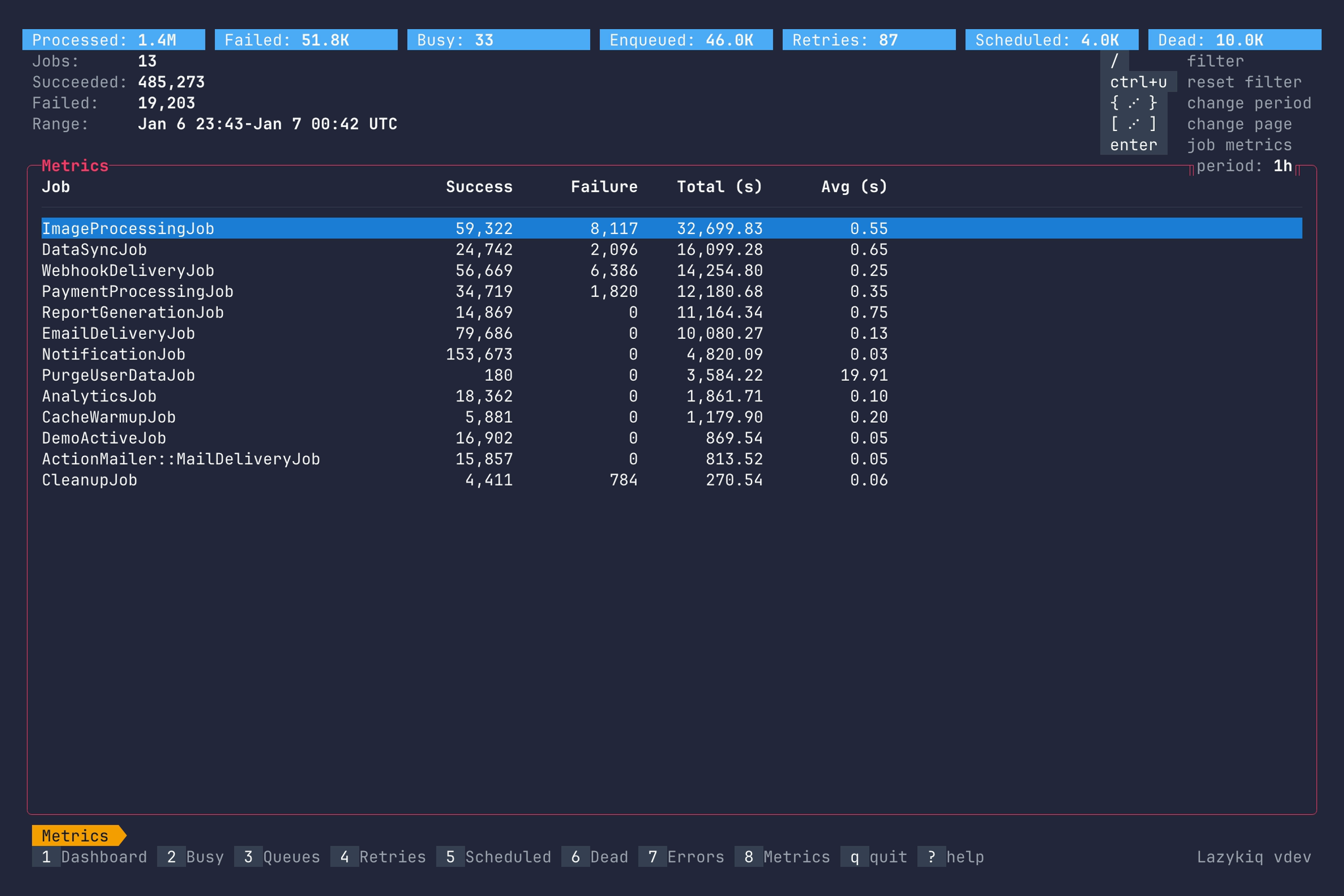
Key bindings:
| Key | Description |
|---|---|
8 | Go to Metrics. |
Up / k | Move up one row. |
Down / j | Move down one row. |
Enter | Open job metrics. |
/ | Filter jobs by substring. |
Ctrl+u | Clear filter. |
[ / ] | Page up or down (also Alt+Left / Alt+Right). |
{ / } | Change metrics period. |
q | Quit. |
Job metrics show per-job performance and breakdowns.
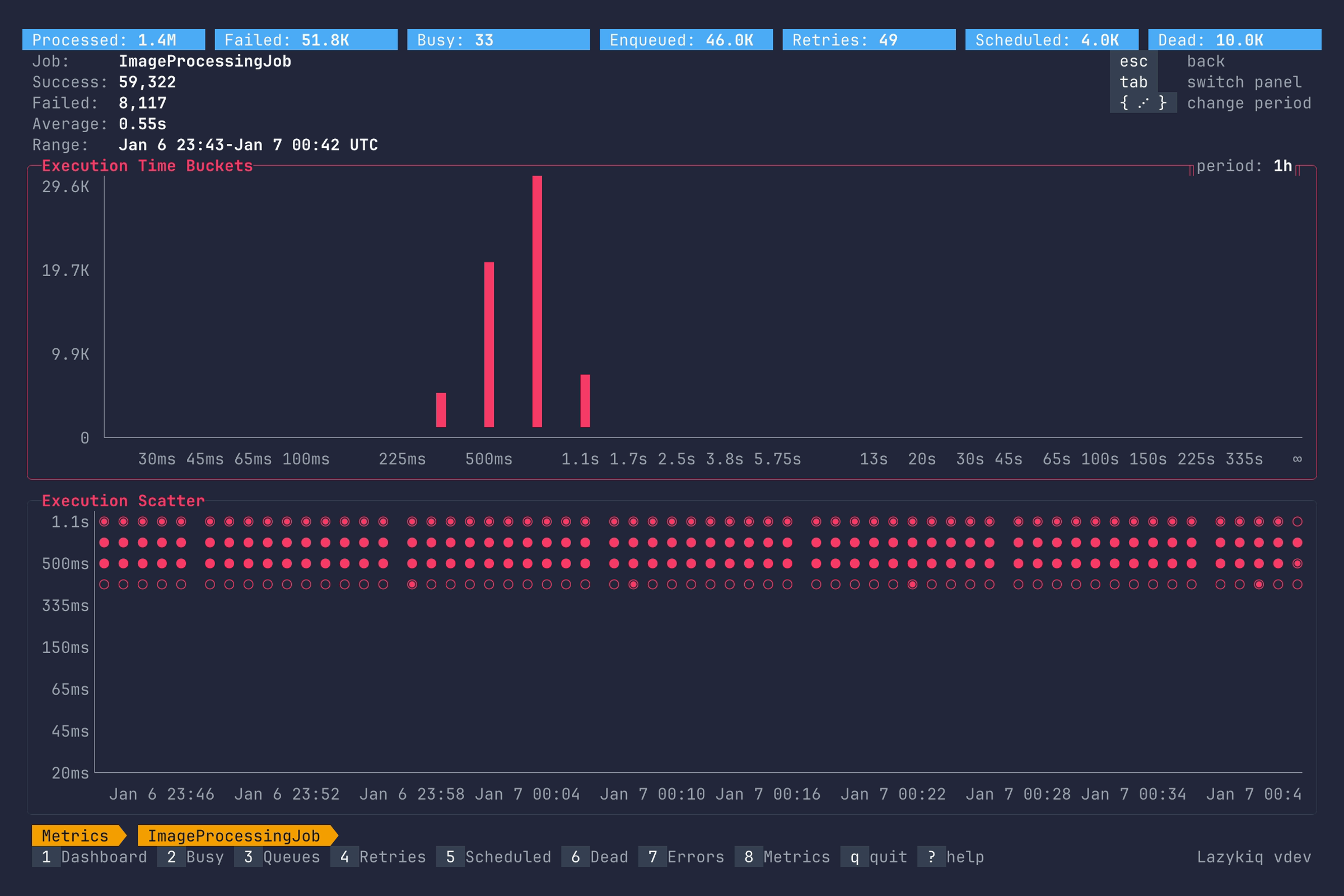
Key bindings:
| Key | Description |
|---|---|
Tab | Switch panel. |
Shift+Tab | Switch panel. |
{ / } | Change metrics period. |
Esc | Close job metrics. |
q | Quit. |