Title here
Summary here
Scheduled jobs are queued to run at a specific time.
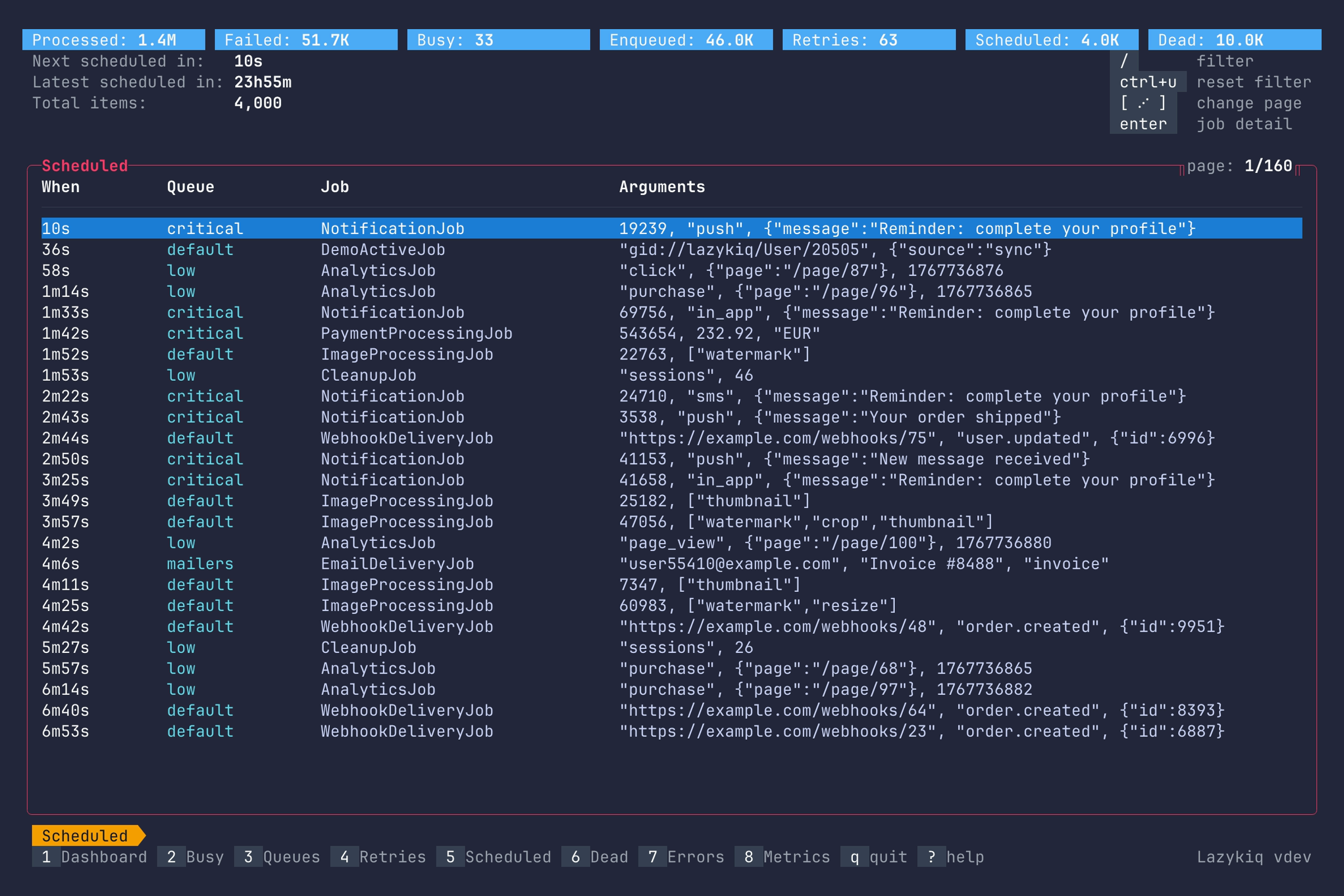
Key bindings:
| Key | Description |
|---|---|
5 | Go to Scheduled. |
Up / k | Move up one row. |
Down / j | Move down one row. |
Enter | Show job details. |
c | Copy job JID. |
/ | Filter jobs by substring. |
Ctrl+u | Clear filter. |
[ / ] | Page up or down (also Alt+Left / Alt+Right). |
g / G | Jump to start or end. |
D | Delete job (requires --danger). |
R | Add job to queue now (requires --danger). |
Ctrl+D | Delete all scheduled jobs (requires --danger). |
Ctrl+R | Add all scheduled jobs to the queue (requires --danger). |
q | Quit. |
Shows detailed information about a scheduled job.
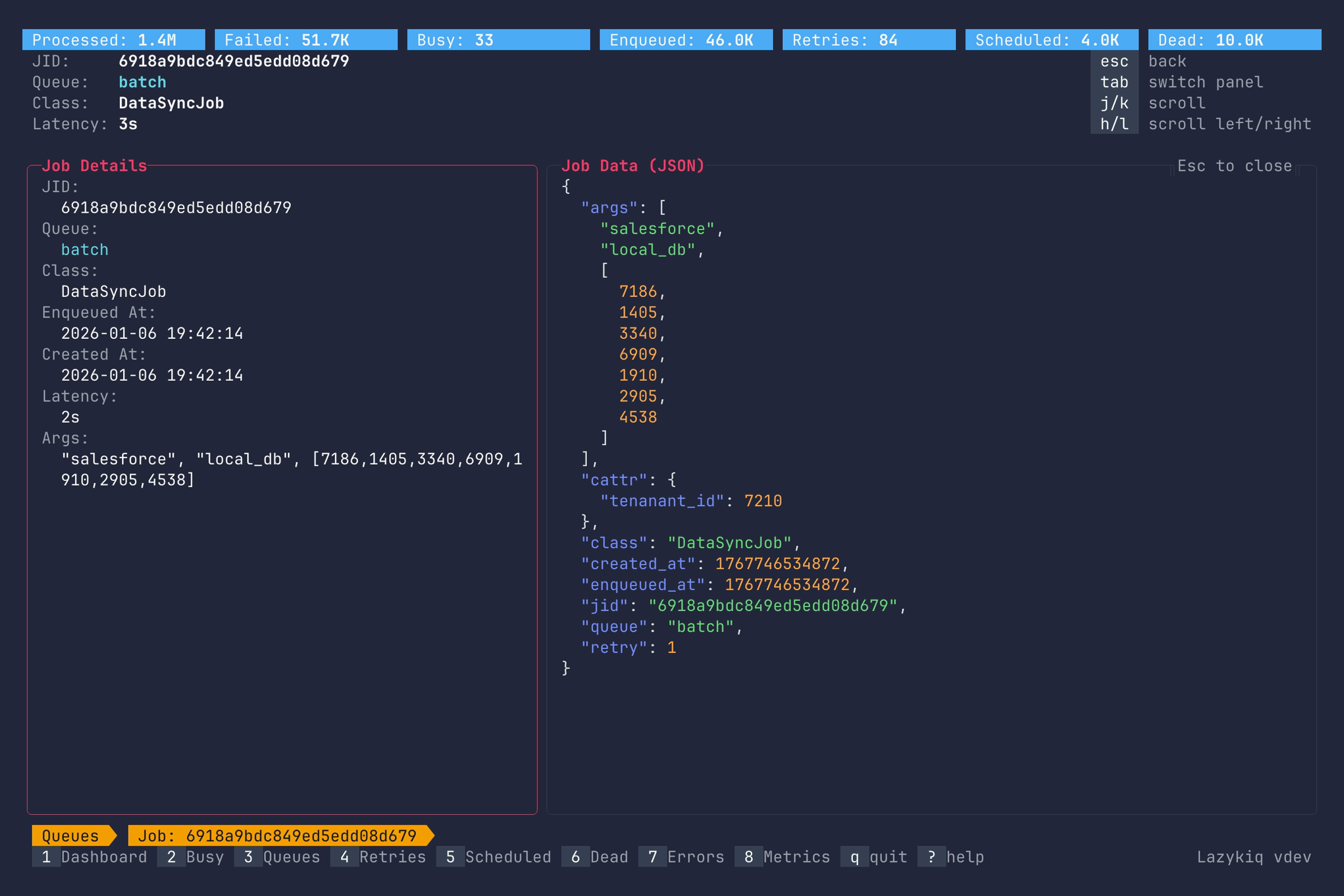
Key bindings:
| Key | Description |
|---|---|
Up / k | Scroll up. |
Down / j | Scroll down. |
Left / h | Scroll left. |
Right / l | Scroll right. |
g / G | Jump to top or bottom. |
Home / 0 | Scroll to the first column. |
End / $ | Scroll to the last column. |
Tab | Switch between job details panel and job data. |
c | Copy job JSON. |
Esc | Back to Scheduled view. |
q | Quit. |